Tender & Quotation Process
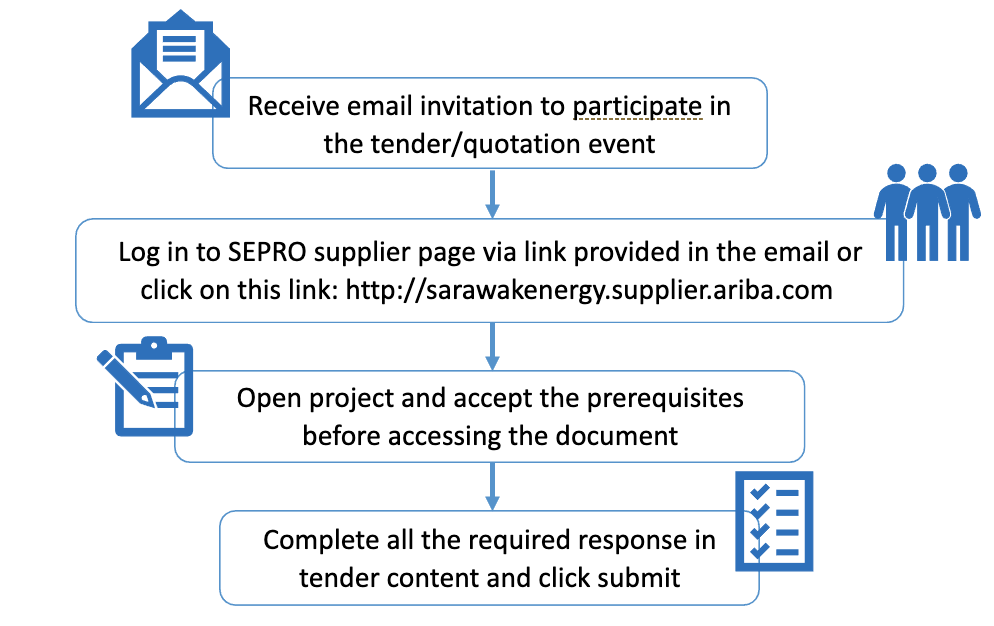
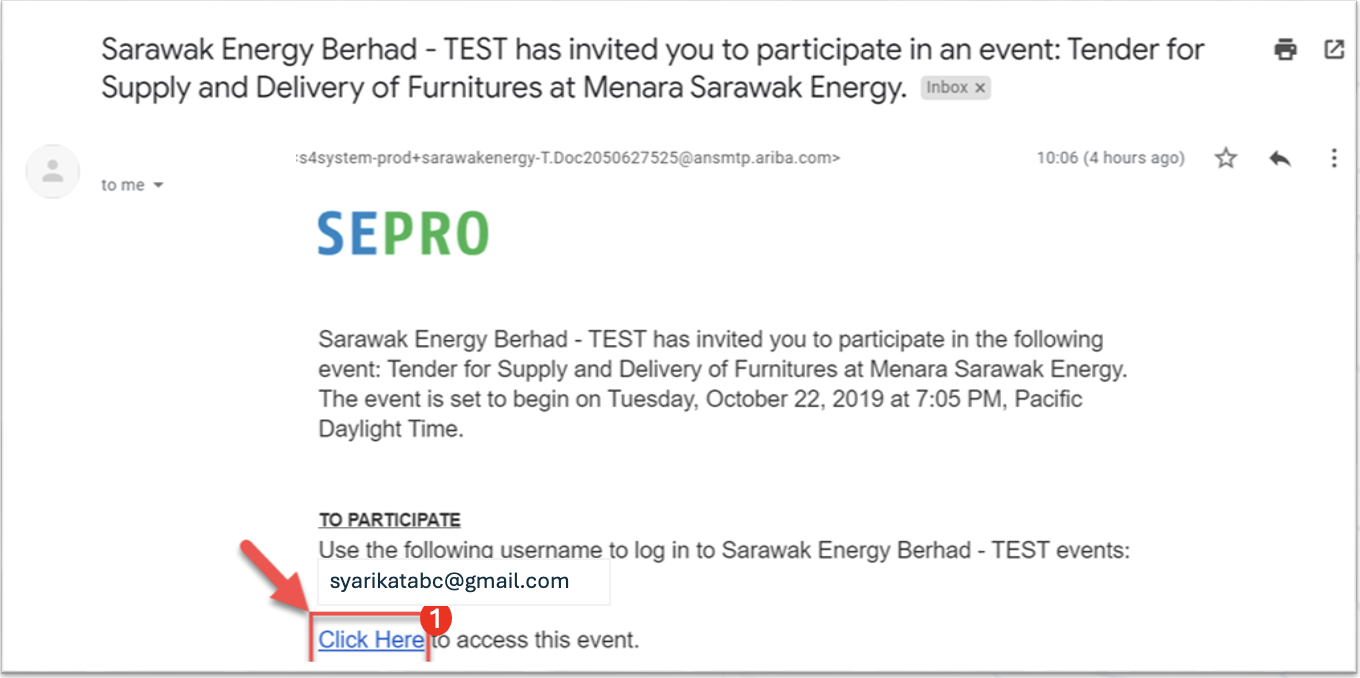
1. Click on the link provided in the invitation email
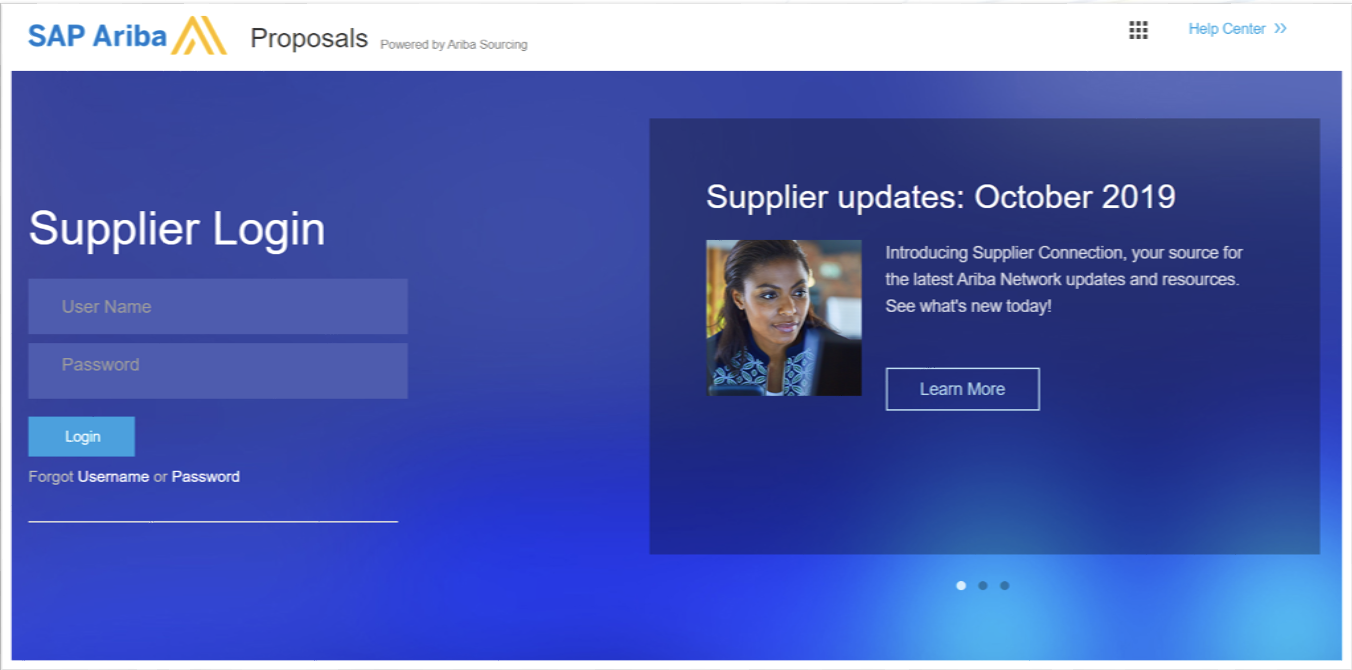
2. Login to your Ariba account
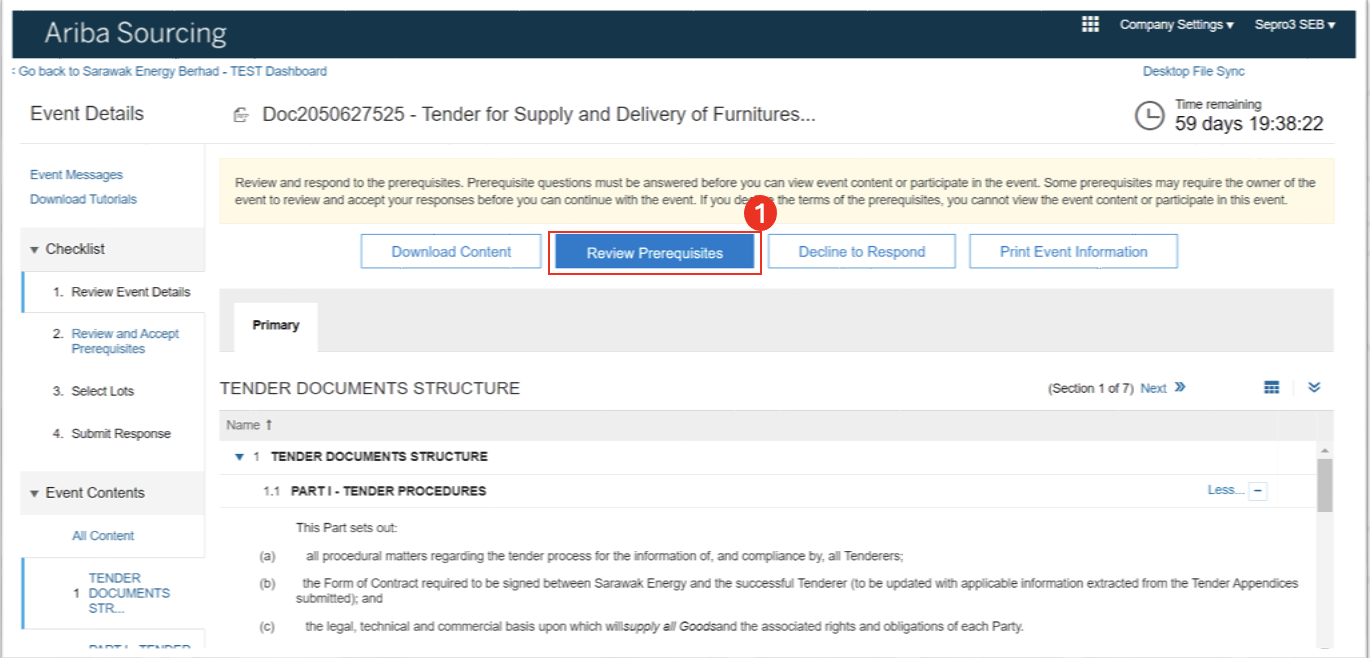
3. Click on the "Review Prerequisites"
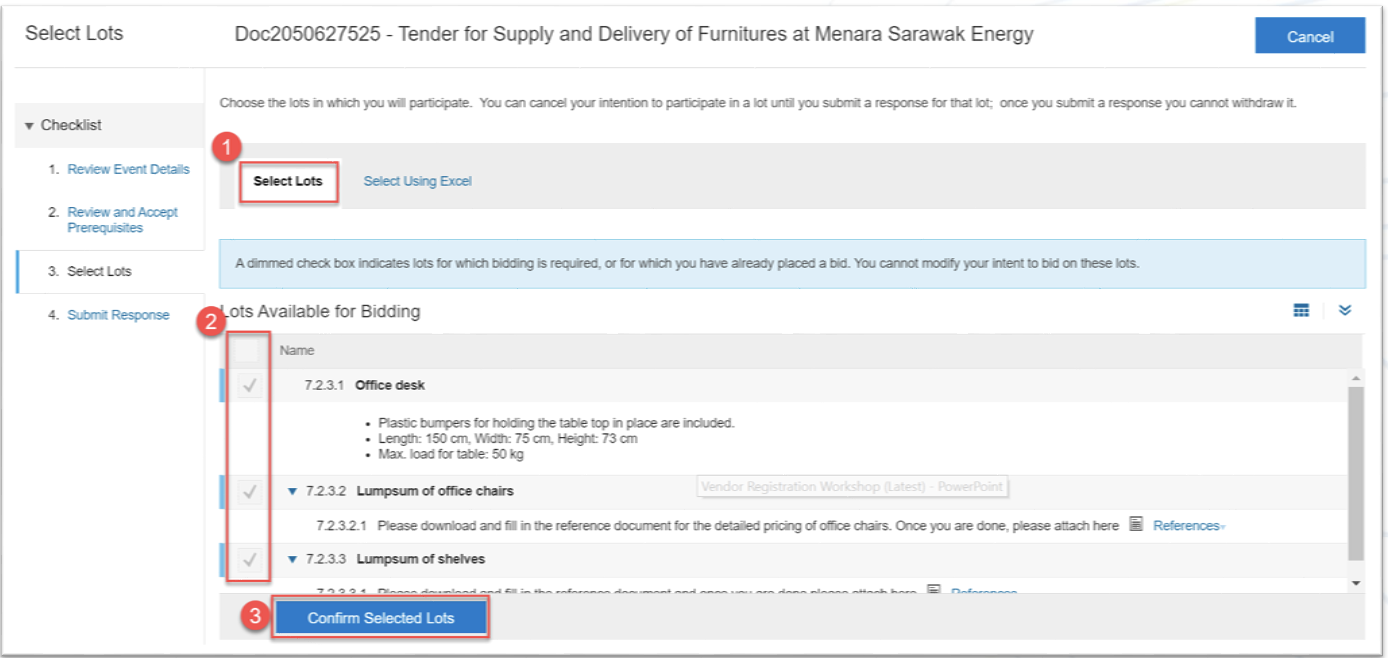
4. Click on "Select Lots" and tick or untick the relevant lots. Please note that for certain tenders, all lots are mandatory, and you will not be able to modify the selections. Once done, proceed by clicking on "Confirm Selected Lots"
5. You will be able to see all content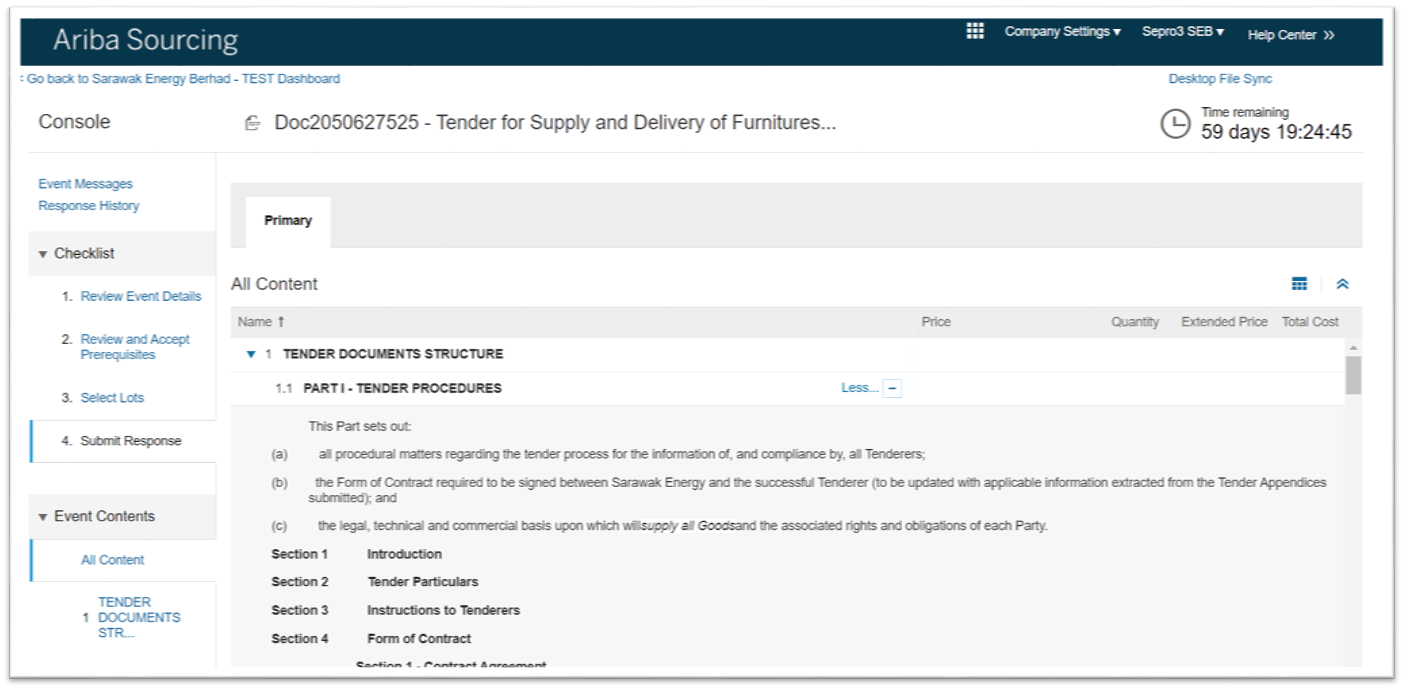
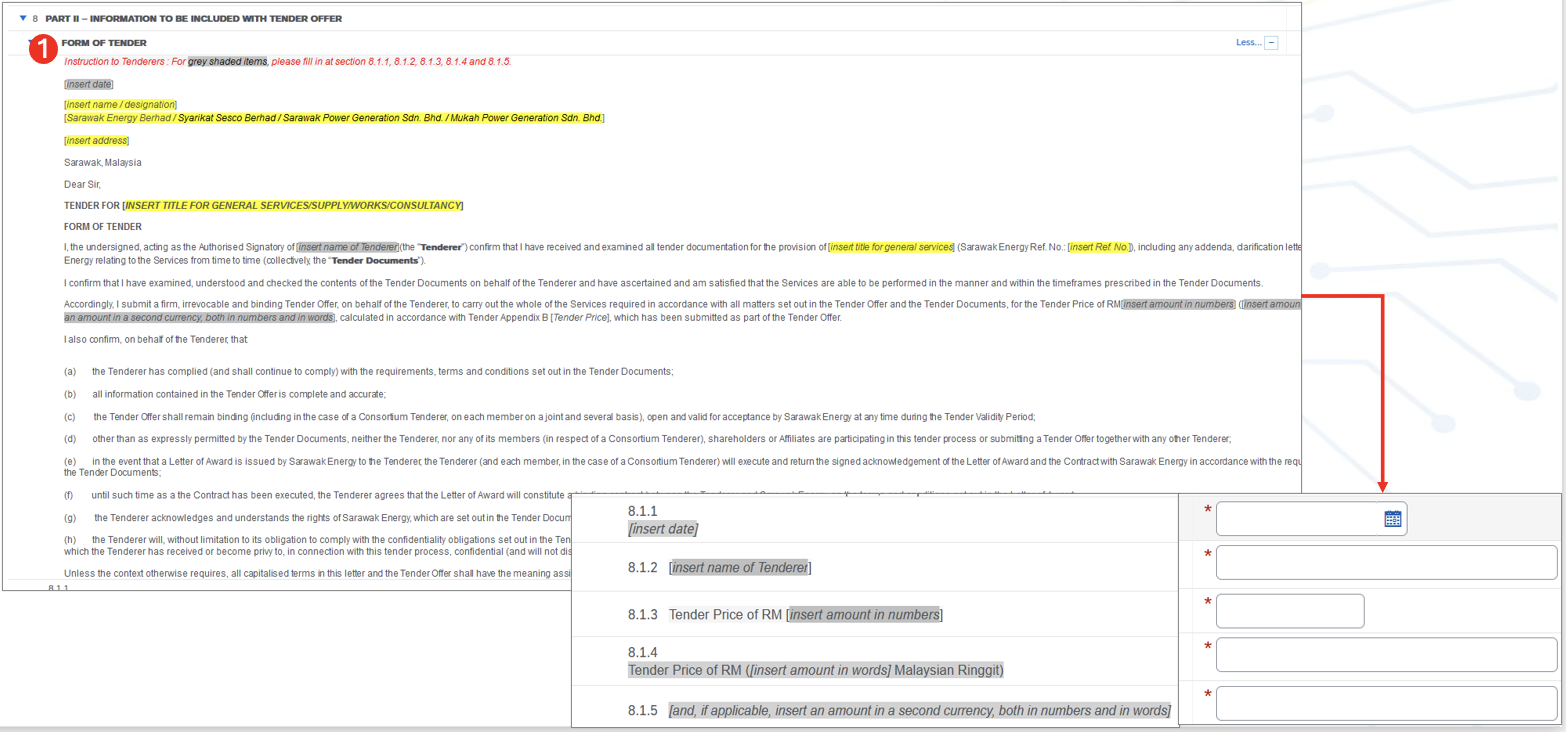
6. Go to "Form of Tender" and fill in all required information
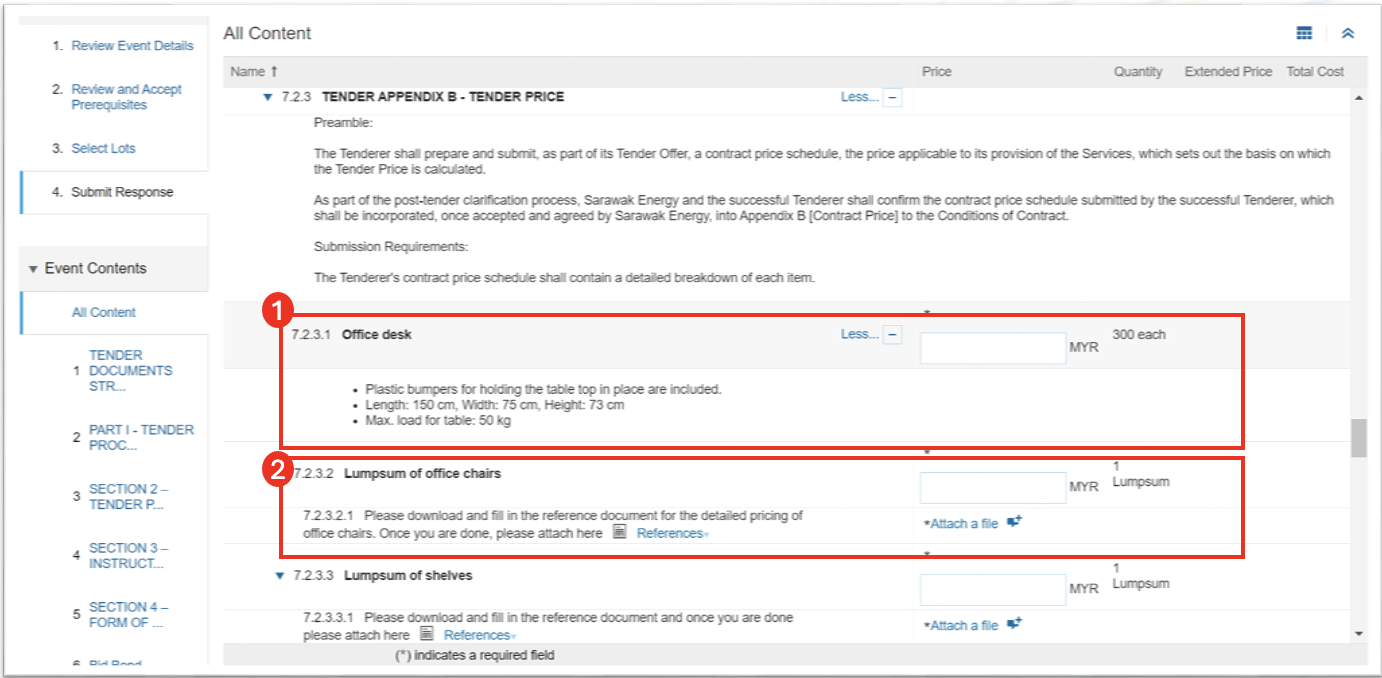
7. Go to "Line Item Pricing", and enter your price. For lumpsum, kindly upload your reference as attachment
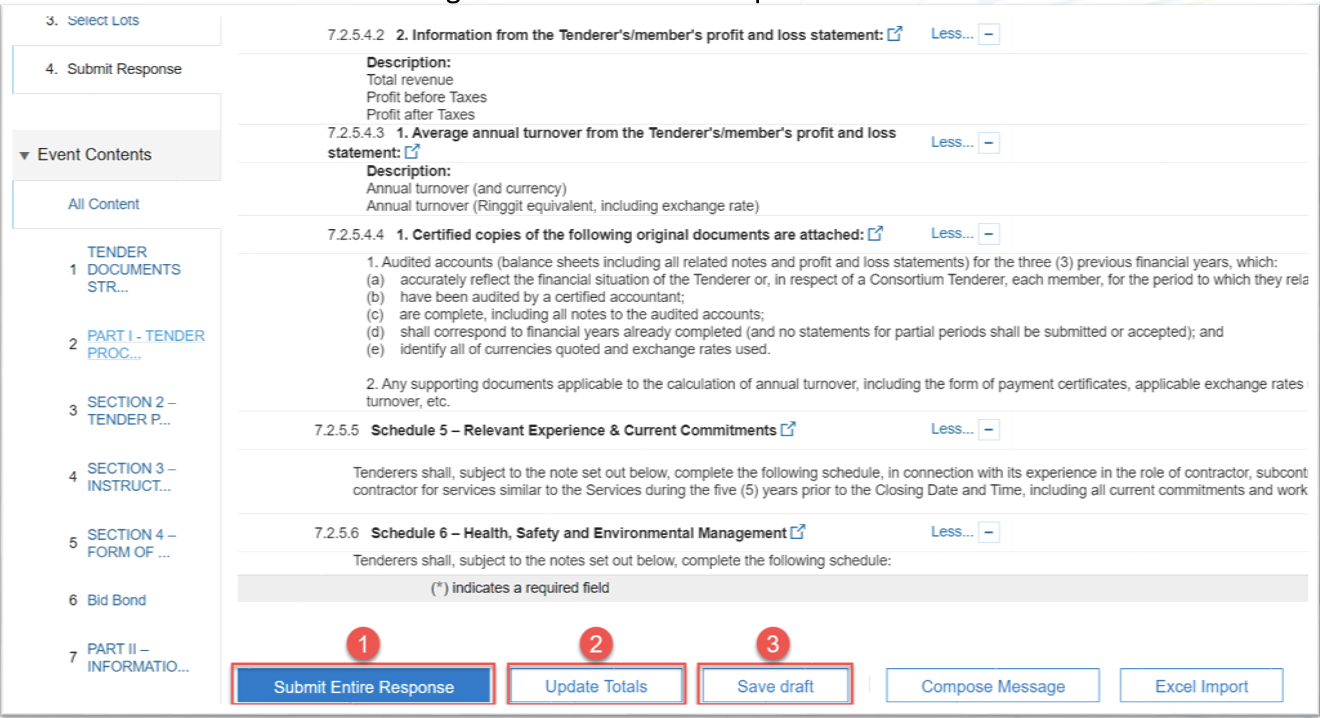
8. After entering your prices, you can verify the total by clicking "Update Totals". Once everything is in order, proceed by selecting "Submit Entire Response". Please be informed that failing to click "Submit Entire Response" will result in your submission not being received by the project team. If you wish to save your quotation and continue editing it later (as long as the event is still ongoing), you may click "Save Draft".
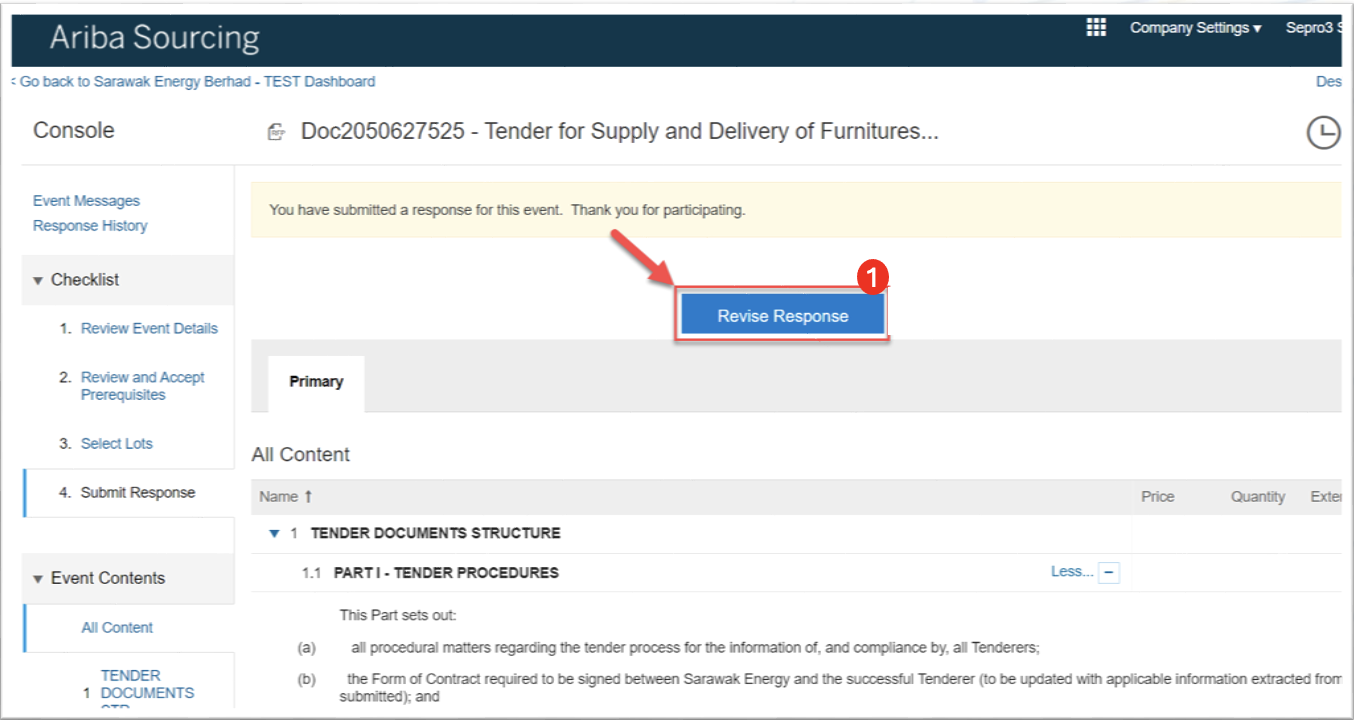
9. If you need to make changes to your submission, a "Revise Response" button will be available. Click it to review and edit your response as needed