
Login to your Ariba Account either through the email notification sent to you or you can use SEPRO login site link: sarawakenergy.supplier.ariba.com.
Type in the link in your browser’s search bar.

Enter your username and password to access your account.

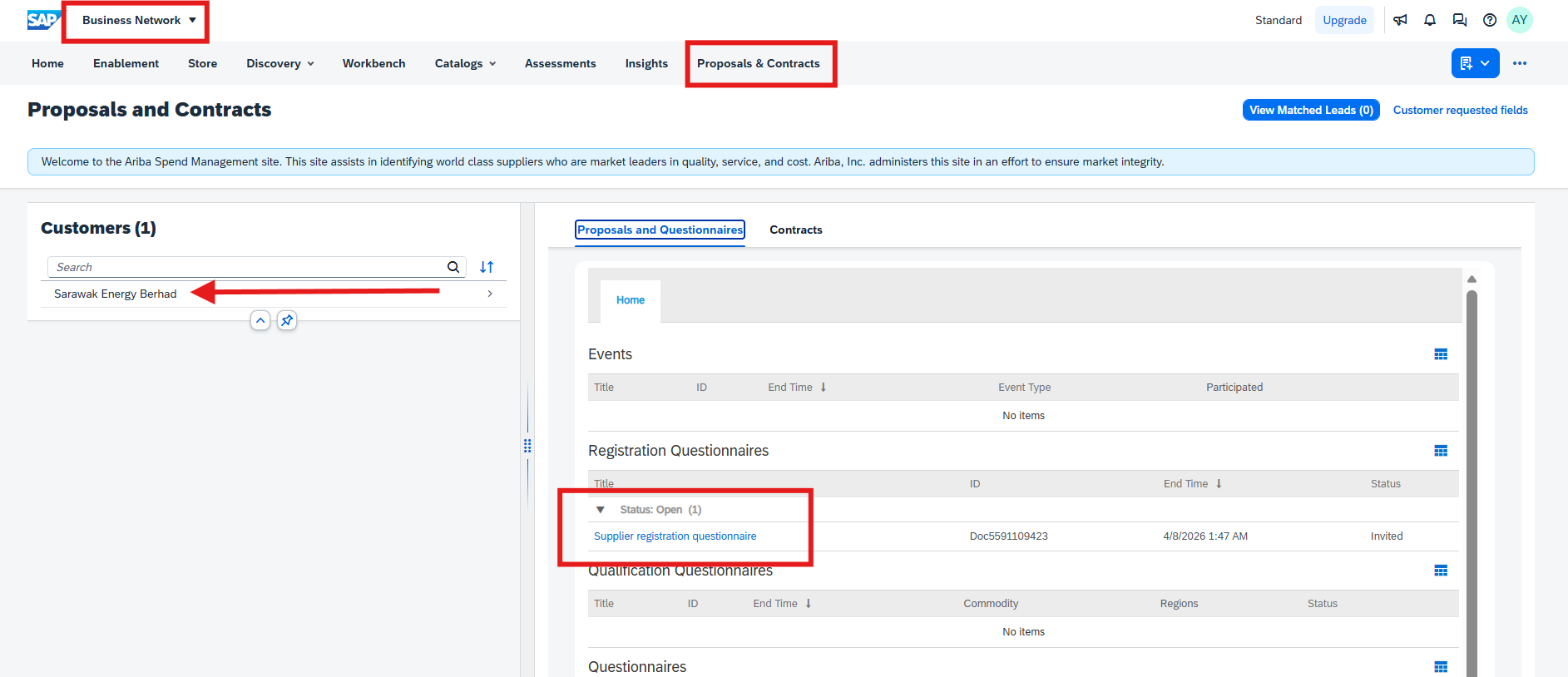
Head to Proposals and Contracts page, and make sure to select Sarawak Energy Berhad as the customer. You will then need to click on the Supplier Registration Questionnaire (SRQ) to start updating/amending your company/entity details.
Your profile may have multiple customers other than Sarawak Energy Berhad so please check.
Note: If you cannot find or see Proposals & Contracts, your browser might be zoomed in. Please zoom out in order to see it.
In your registration questionnaire, click “Revise Response” at the top of the page.
Note: “Revise Response” button will only be visible if the questionnaire is still active (the “Time remaining” status is not “Closed”). If your questionnaire is “Closed” please contact us at asksepro@sarawakenergy.com or 082-330127 so that we can assist in reopening the event.

Re-enter your legal name of company. That maximum character limit for each line is now 35, you may use the second line if your company name exceeds the maximum limit.
Note: Legal Name of Company (Line 2) is optional. You may leave it as it is if not required.

These are the following mandatory newly added fields. The questions must be answered as responses are required to proceed:
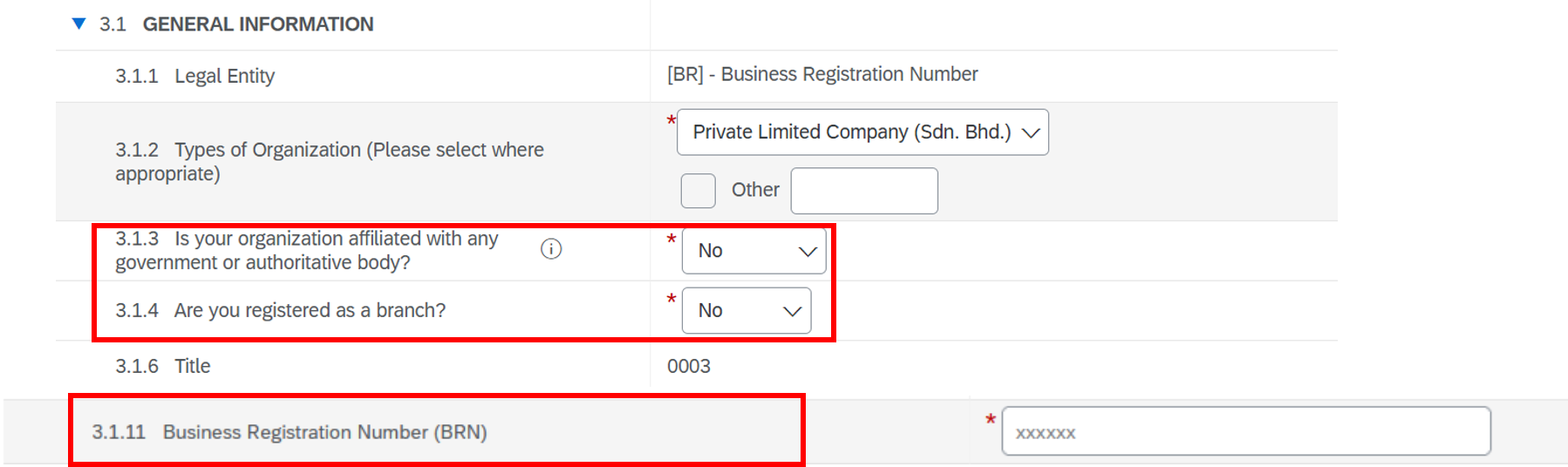
Note: As part of enhancement payment security controls, BRN is required to ensure alignment with the registered bank account record.
Insert the company’s bank account number and attach the first page of the company’s bank statement.
Note: The bank details should be the same as the bank that you specified in Question 7.1 (Bank Name). The bank statement should have the company’s name and bank details (including address and account number).

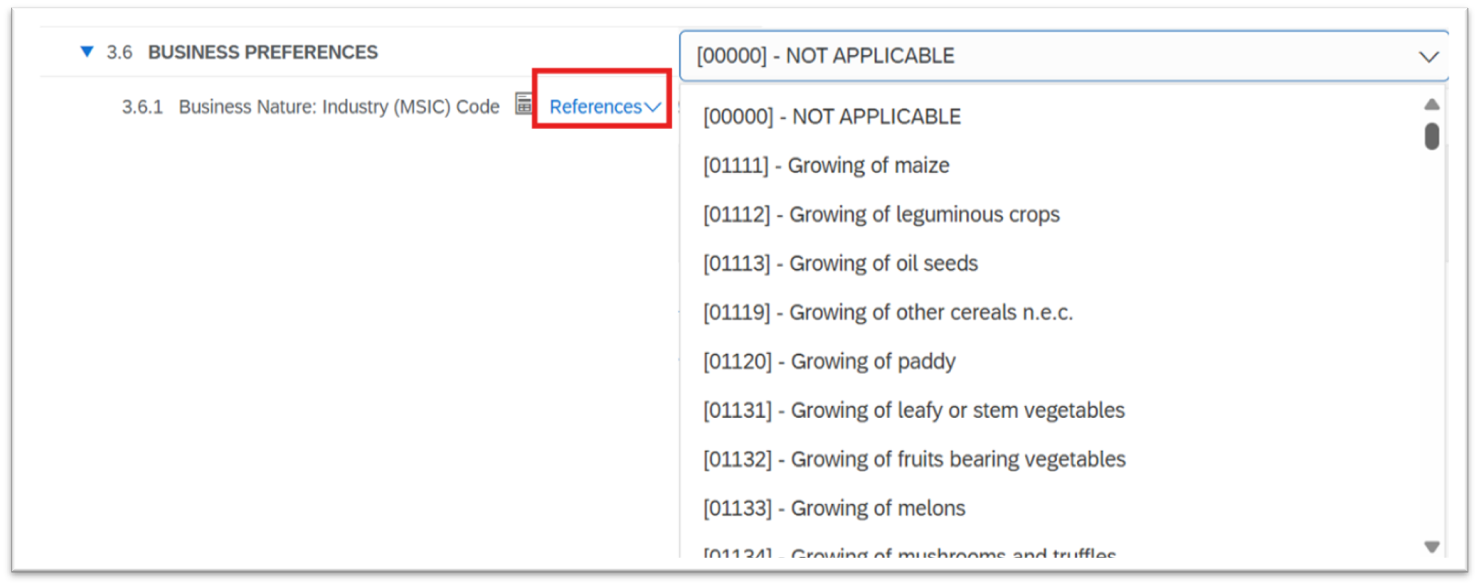
Kindly select the “Business Nature” on the selection list or you may refer to the “References” to ensure you select the correct business nature. If there is no relevant business nature, you may select “NOT APPLICABLE”.
Note: Please select your commodities carefully and as per your certificates as these selections will be used by Sarawak Energy for supplier qualification in the future.
Once all the questions are completed, proceed to click “Submit Entire Response” and it will go to SEPRO team for approval.
